
Hazomatic – Theatrical Haze, Measured
Measure. Monitor. Respond.
Haze levels with numbers, not foggy adjectives!
Hazomatic is a Mac app that gives you real-world haze data, second by second.
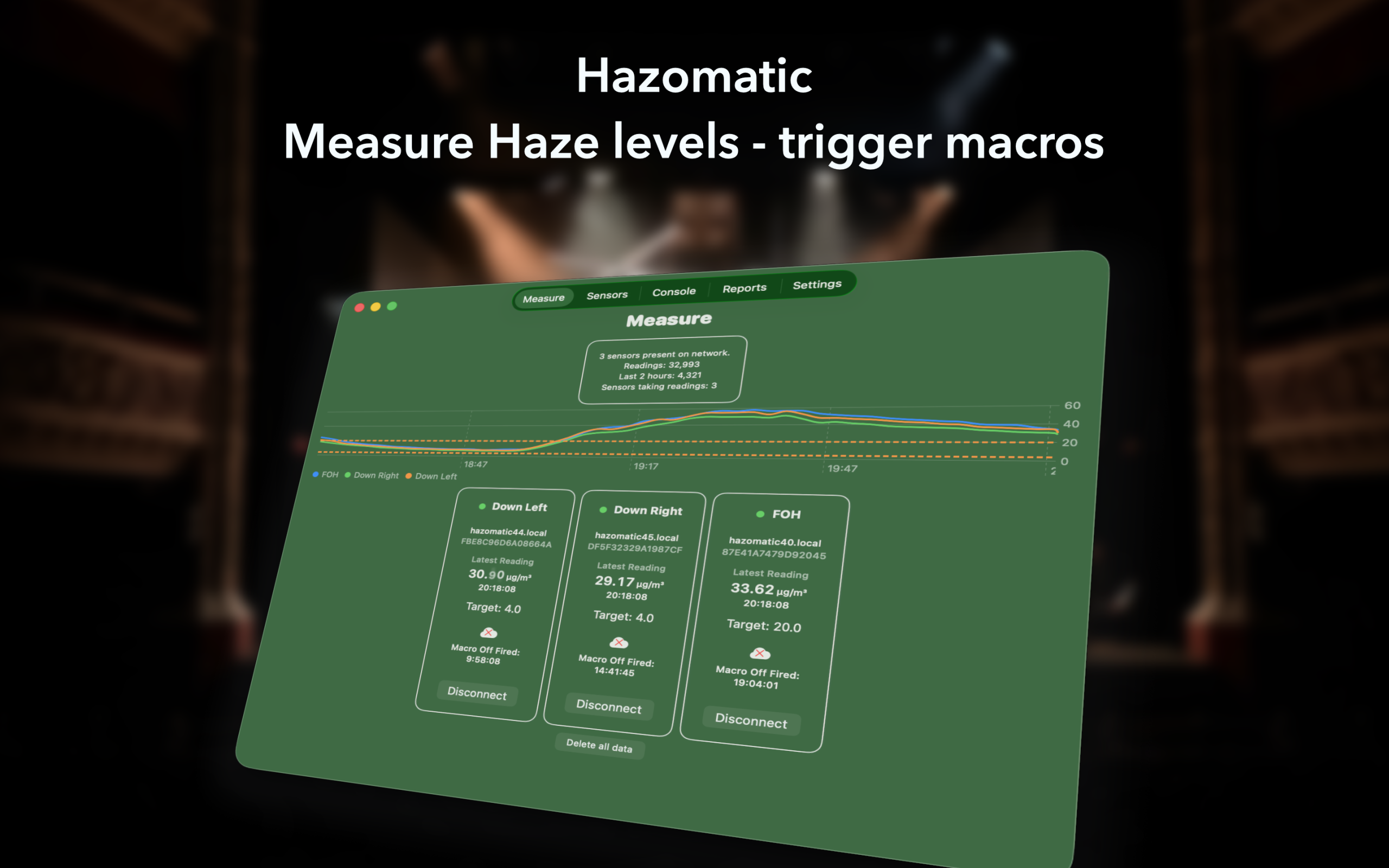
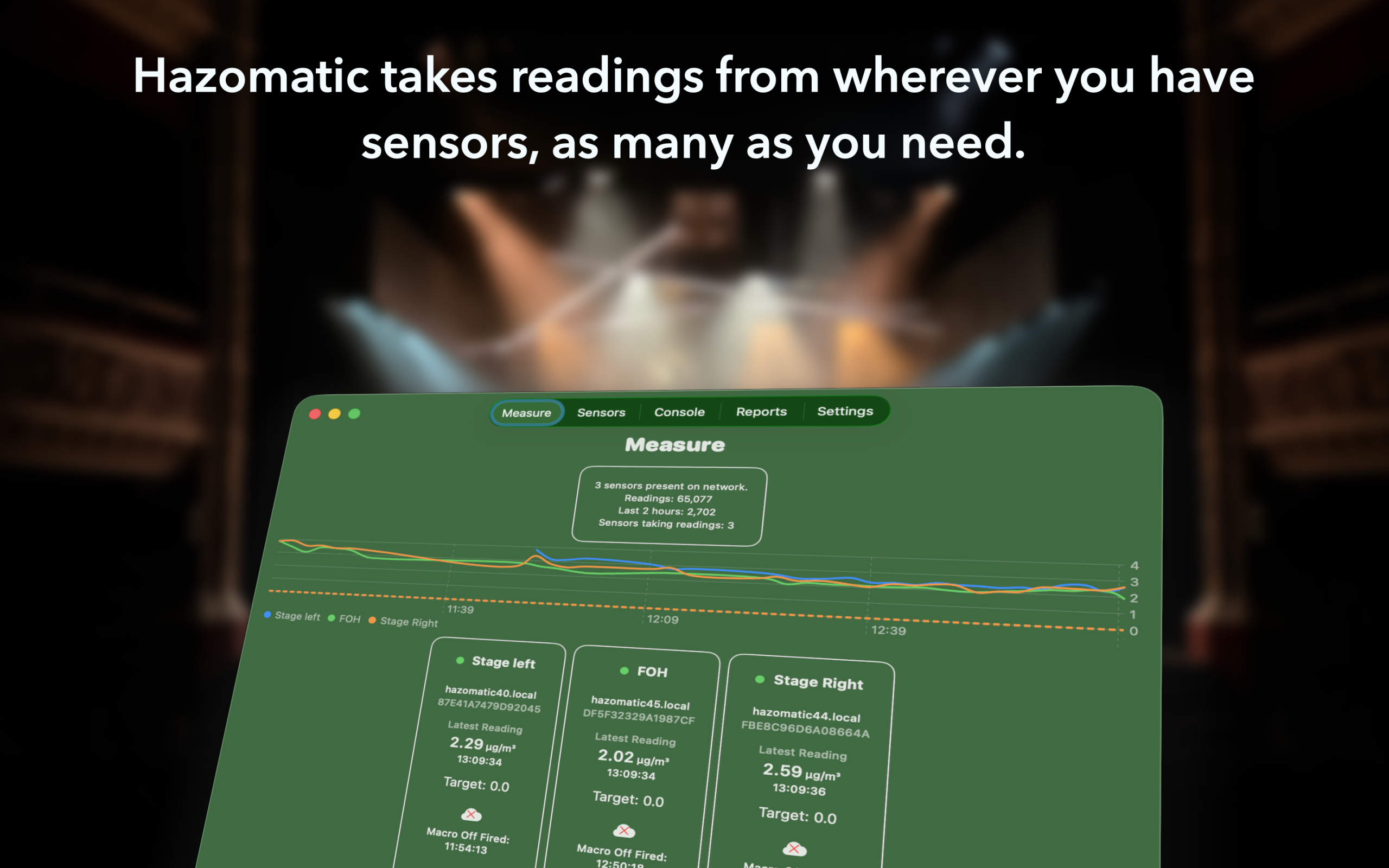
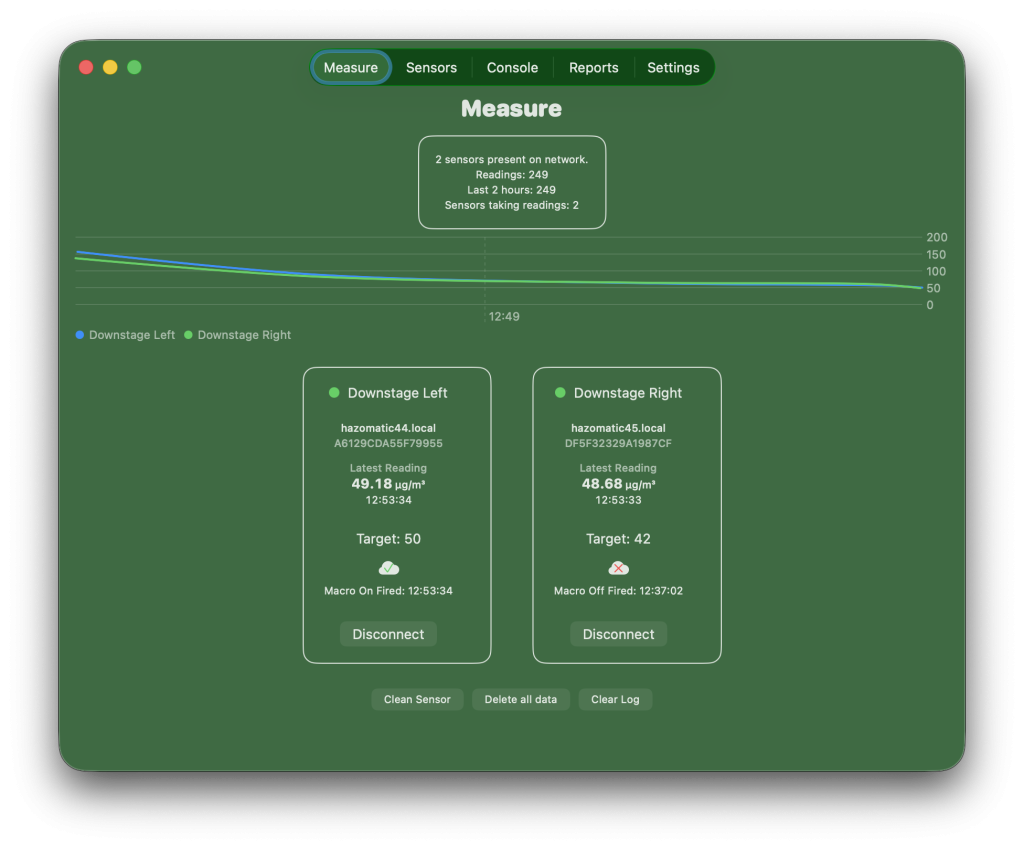
Using sensors, it receives live particulate data and presents clear visualisations of atmospheric levels across stage, auditorium, film or tv set.
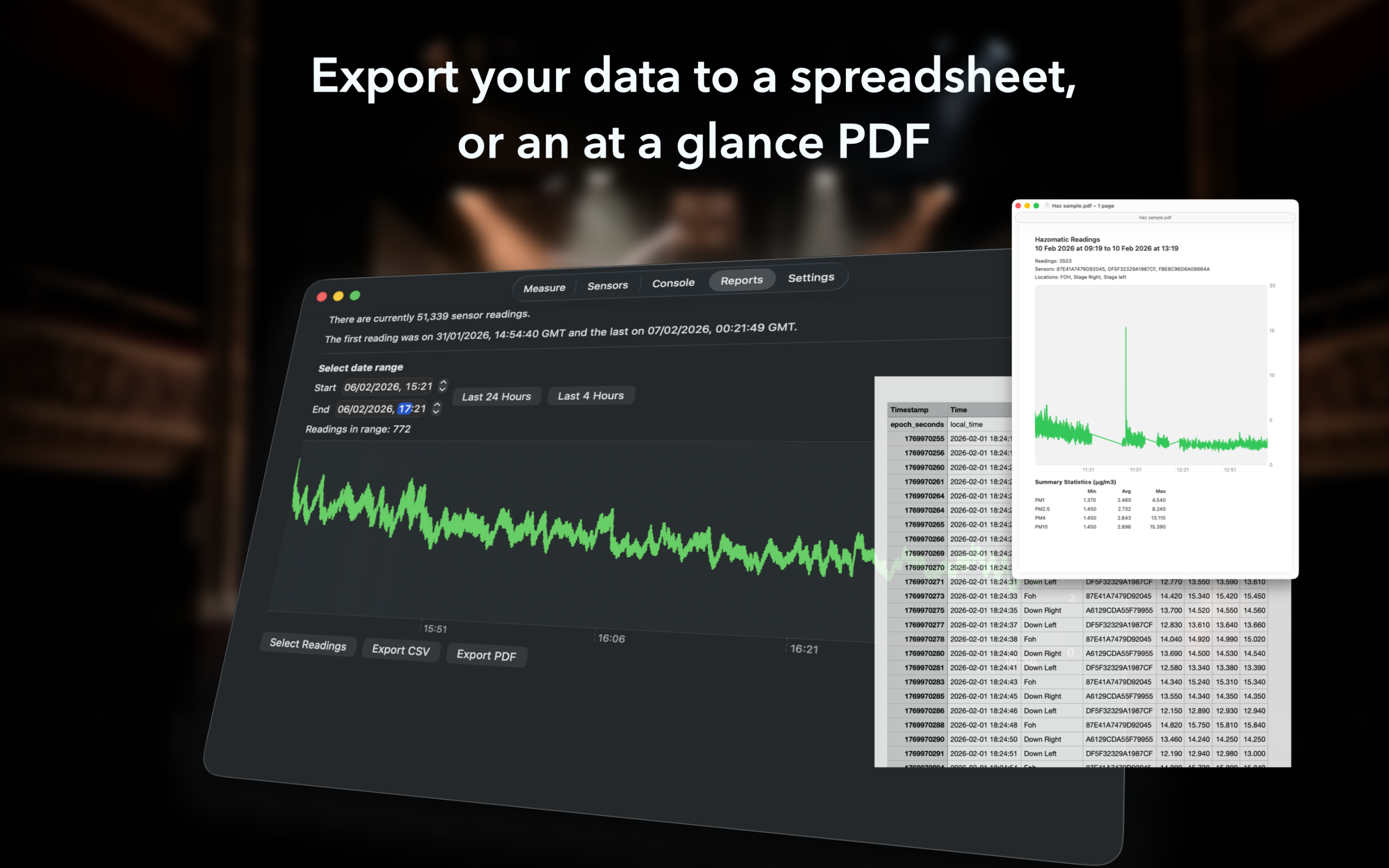
Hazomatic works as a standalone monitoring and logging tool – no lighting console required. Record levels over time, review trends, export data, and understand exactly what your atmosphere is doing.
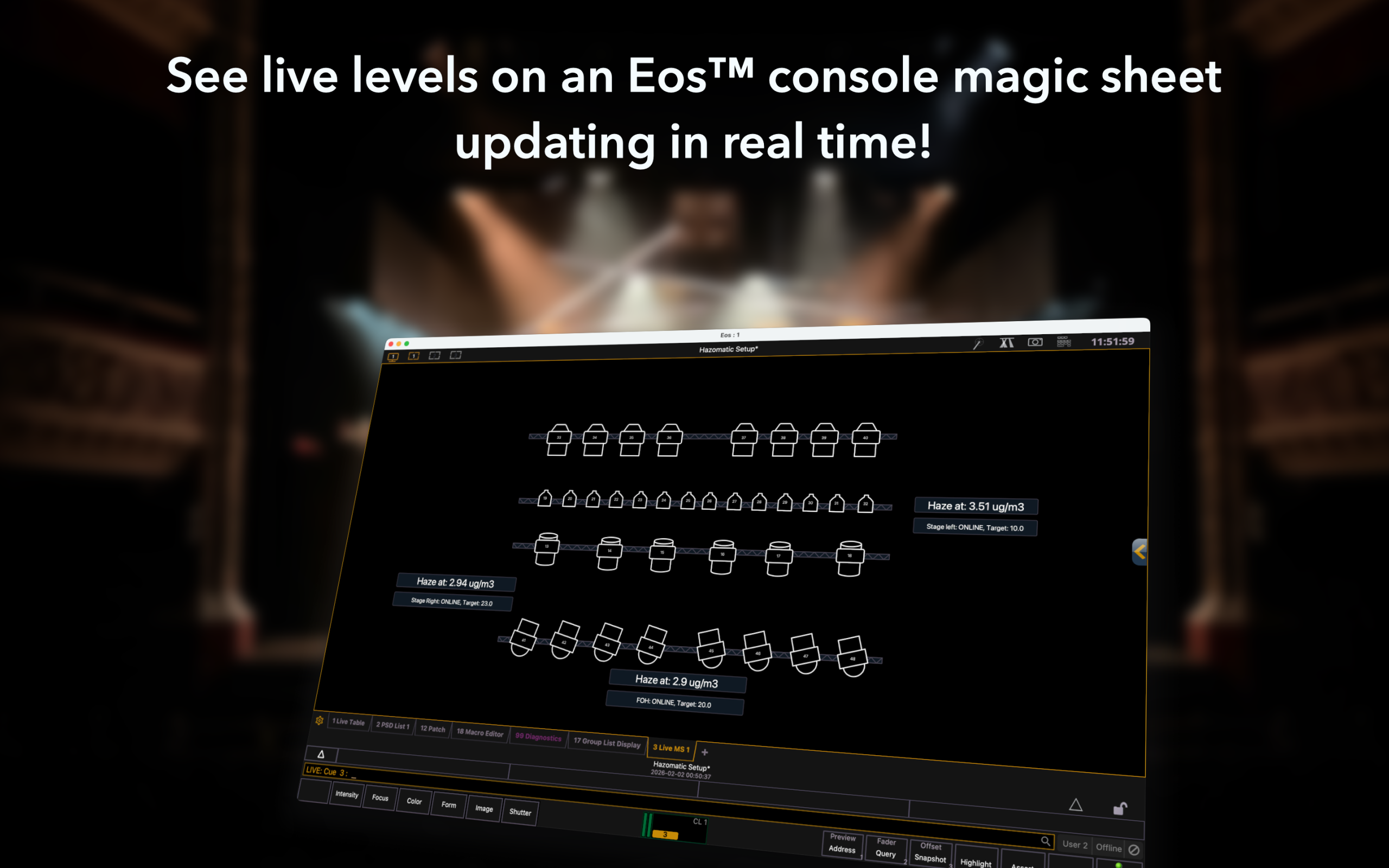
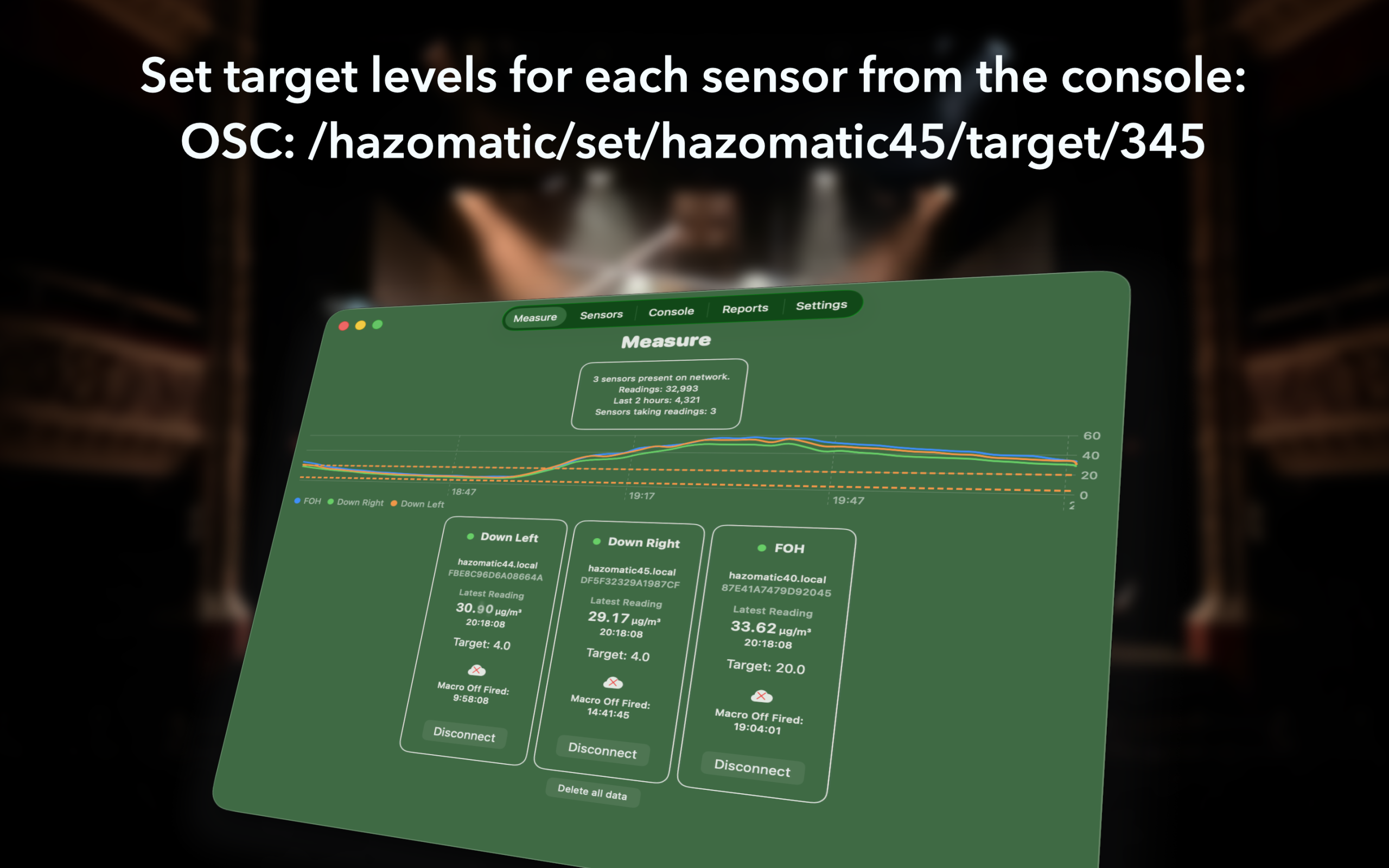
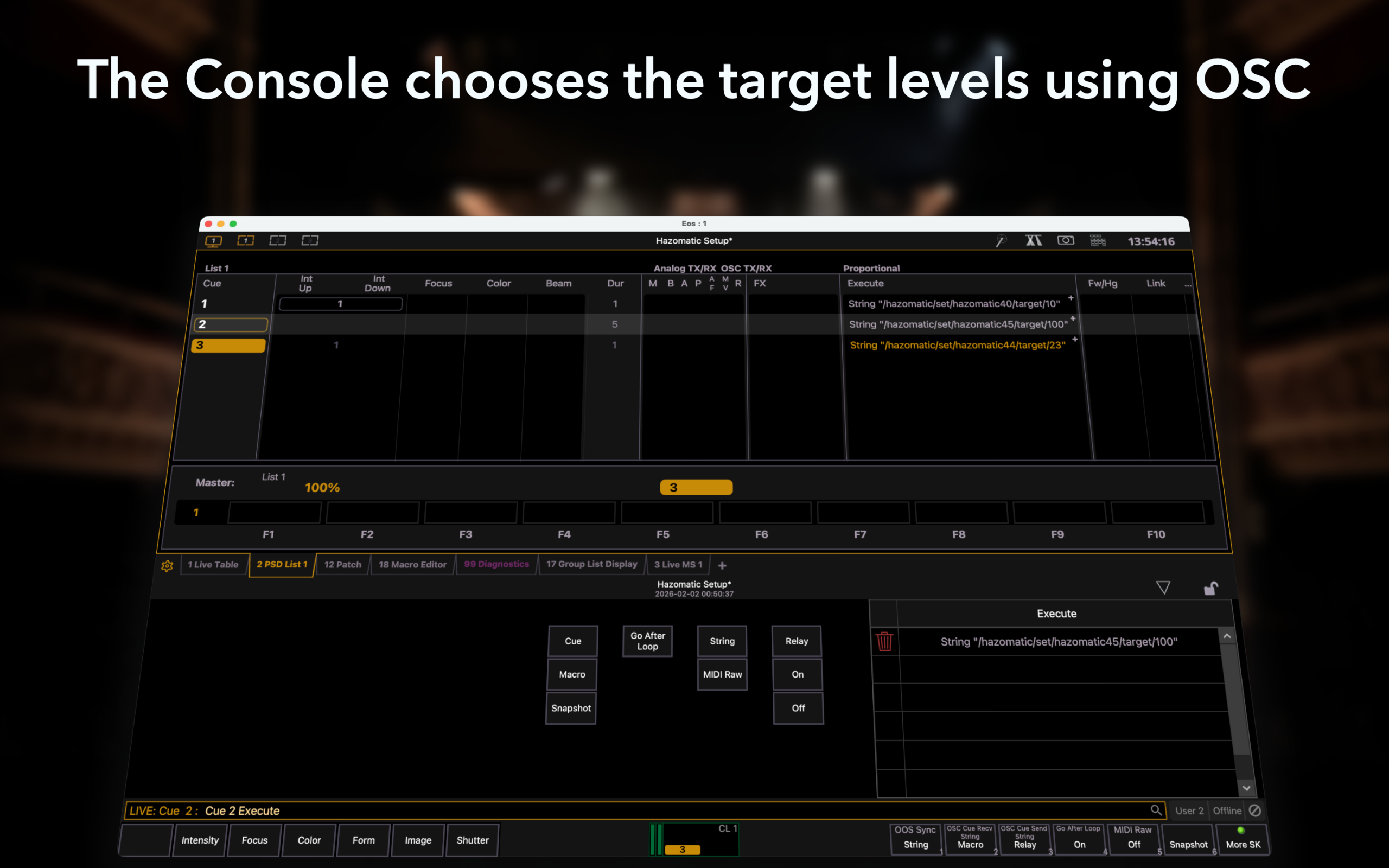
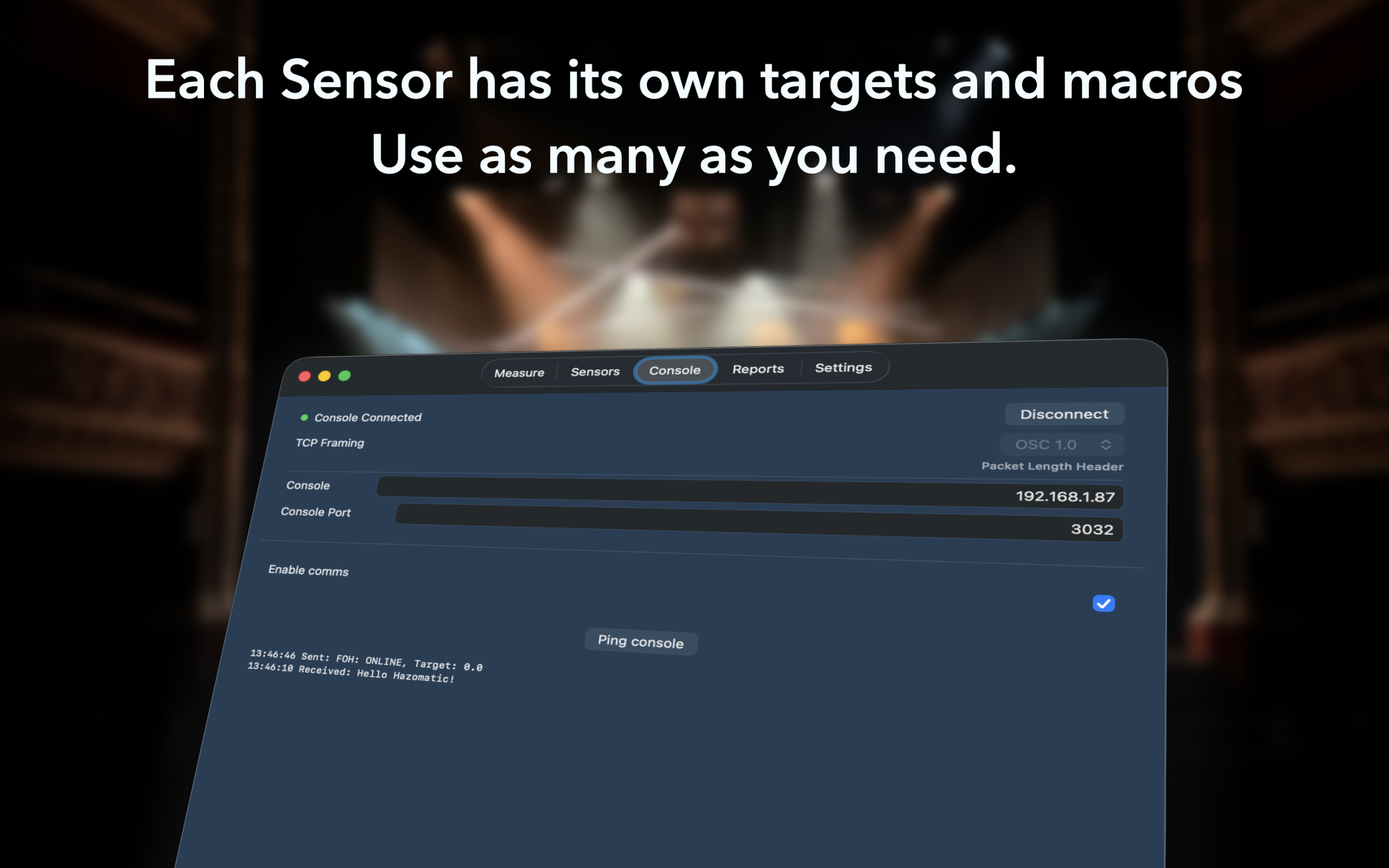
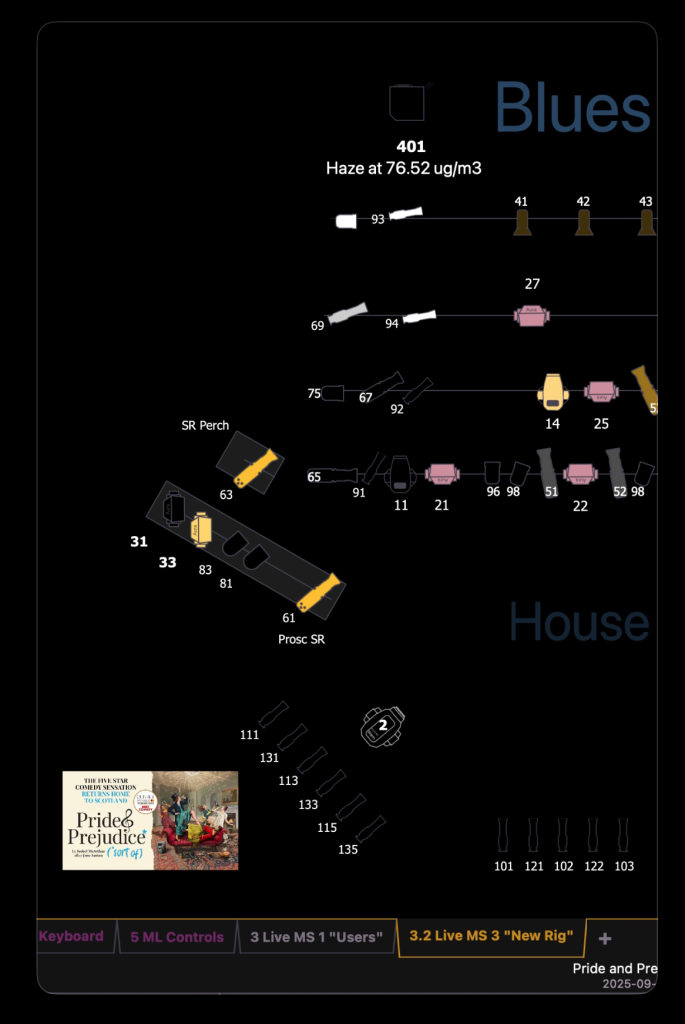
If you choose, Hazomatic can also notify your lighting console via OSC when user-defined thresholds are crossed. Display live levels on a magic sheet, or trigger programmed macros – the response is entirely yours.
Interested? Hazomatic is running a TestFlight program for macOS.. get in touch at hazomatic@lovely.lighting
Environmental Monitoring and Console-Aware Automation for Theatrical Haze
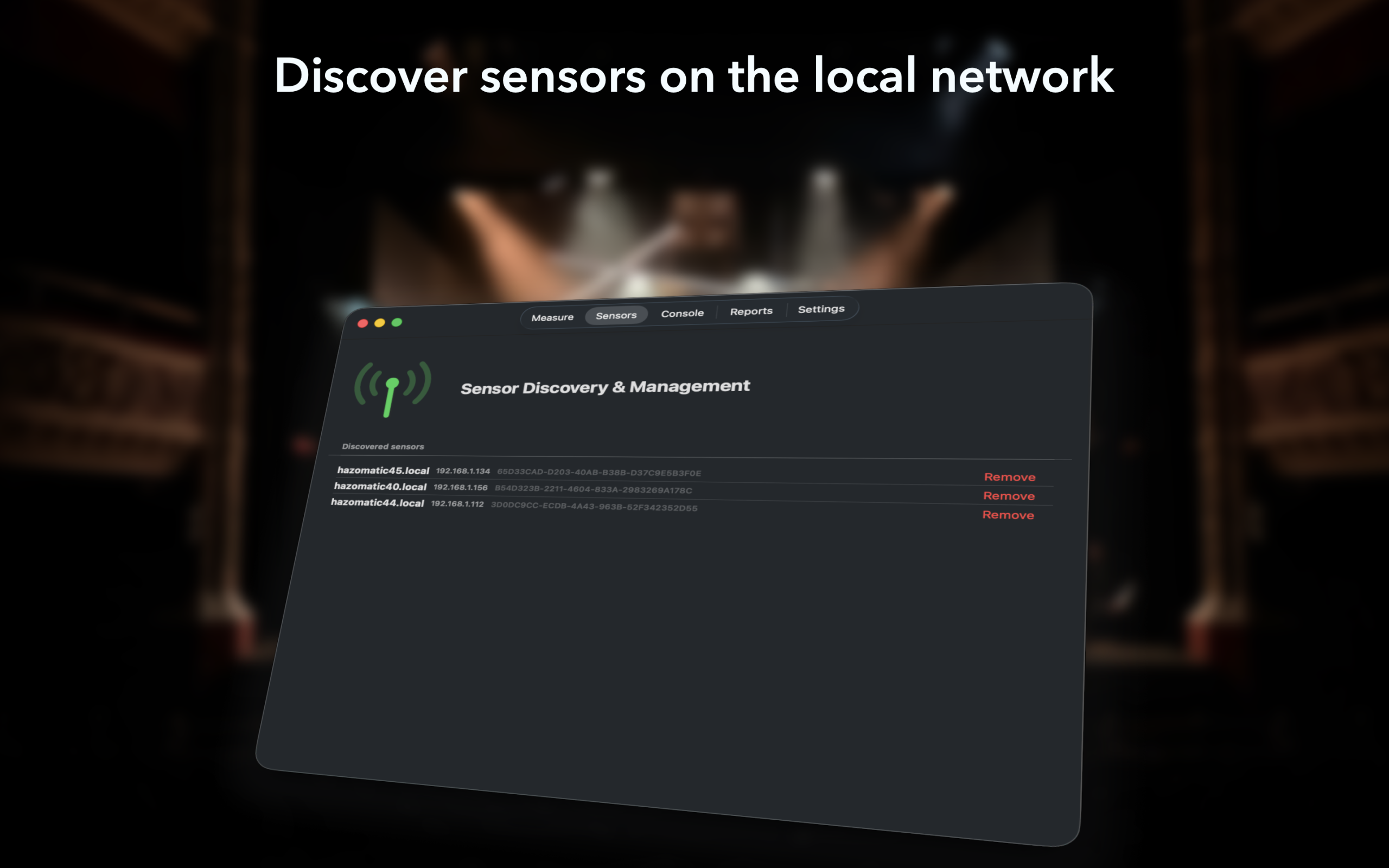
Different areas of the stage and auditorium can be monitored with multiple sensors. As many as you like… 4 onstage, one FOH for example.
Get the real-world stats continuously updated on your magic sheets.
Console Integration
Hazomatic can connect to ETC Eos (other OSC-enabled consoles to follow). When user-defined thresholds are crossed, the app can transmit OSC messages to your console, allowing you to trigger macros, cues, or other programmed actions.
How the console responds is entirely determined by your show programming. Hazomatic does not directly control hardware; instead, it provides condition-aware signalling so that your lighting console can respond however you choose. Hazomatic transmits generic OSC messages; any control logic resides entirely within the lighting console programming – you are always in control. Your haze inhibit submaster always works!
This flexible approach supports a wide range of scenarios – from simple logging and monitoring, to advanced show control scenarios.
Why Hazomatic?
It’s hard to continuously monitor haze levels.
Traditionally the lighting console operator will either:
Set a level as a hard value for the hazer in the cue stack… (or run a complicated timed effect) however we know that this can be notoriously unreliable.. changes in temperature, humidity, & airflow all can drastically impact concentrations. Levels that work today, might not work tomorrow… That perfect level you got right during tech suddenly doesn’t work with an audience in, and theatre air handling you have no control over.
or:
The lighting operator can run haze levels on a submaster… this too can also be problematic. Usually, by the time changes have been observed (too much, or too little), it’s too late to do anything with any degree of subtlety. Maybe your show is touring and you have a new local console operator for each venue, they can’t possibly know the desired levels.
Sometimes it’s not even possible for the console operator to see the stage – at the top of an act, for example, when the safety curtain or frontcloth is flown in, you’ve got no idea of accurate haze levels, other than nervously asking the DSM over comms… it’s too late to catch any problems without real world data!
Hazomatic takes the guesswork out of haze monitoring and getting consistent results from show to show. You get accurate second by second measurements. Haze levels become ctionnable data, not foggy adjectives!
For Camera
With Hazomatic, you can record haze levels across shots and maintain an accurate consistency of haze for ultimate repeatability.
For Show Archives & Logging
Record haze levels so when your show comes out of storage, you know exactly what the haze levels were.
Hazomatic can log levels over time and output that data to a .csv file you can open in any spreadsheet. Maintain records as required. It will also generate a pdf graph of the data for a quick at a glance view.
Mac, iPhone and iPad
Hazomatic is primarily designed for Mac, allowing it to run in the foreground or background continuously updating. It was built to have a very low network footprint, and low CPU usage, so it happily co-exists with any other apps you might be running.
On iOS and iPadOS, like all other apps, Hazomatic can’t run in the background. This stops it collecting data from the sensor and communicating with the console. You can disable device sleep in the app, but you must keep it open in the foreground to work.
For peace of mind, I would recommend using a Mac, but after consideration, I decided to include iOS and iPadOS versions for when this is not possible. iOS & iPadOS will arrive after the Mac launch.
Roadmap
Hazomatic is under active development, with lots more features to come – integration with other consoles, or logging to Vor, for example…and I’m pretty sure there are use-cases out there I’m simply not aware of. Please do get in touch with questions or feedback.
Hardware
Open sensor architecture
Hazomatic is hardware agnostic – no proprietary hardware is required, you are responsible for building, running, and maintaining your own sensors. I recommend and have been using the excellent Sensirion SPS30
It’s calibrated, accurate with a very speedy response, and excellent value for money.
To drive the sensor I have been using an ESP32C3 board. A connector goes from the back of the SPS30 and you solder 4 wires to the pads of the ESP32 board, finally you will need a 3d printed enclosure and usb power.
The cost of components for one sensor is currently around £40. Hazomatic needs a web socket connection to ingest JSON output from the sensors.
I can help with build instructions and firmware for the ESP32 board, or provide details for the websocket and JSON format required. You can customise your own builds with your own hardware. If this all sounds daunting you might be pleasantly surprised!
I’m happy to help you get started!
Instructions for building a sensor can be found here.
Terms of service:
Disclaimer of Warranty and Limited Warranty
Hazomatic is NOT a replacement for fire alarms, smoke detectors or any form of safety equipment. Hazomatic is NOT a medical device or a way to gauge safe levels of haze. Hazomatic is NEVER to be used to replace Fire Marshalls, Fire Patrols, or any safety officials.
This Software, help files, and any accompanying manual are provided “As is”, without any implied or express warranty as to their performance or to the results that may be obtained by using the software.
Privacy Policy:
Hazomatic won’t collect user data, won’t require an account or email address to function. All haze level data collected remains local to the device. App subscriptions are managed on device between the user and Apple.